
 ASP.NET
layui标签输入框inputTags介绍
layui框架是一款采用自身模块规范编写的前端UI框架,门槛极低,拿来即用。本文为大家介绍了一种layui框架中使用的...
layui框架是一款采用自身模块规范编写的前端UI框架,门槛极低,拿来即用。本文为大家介绍了一种layui框架中使用的标签输入框inputTags,希望对大家有一定的帮助。

**inputTags.js**


页面代码:
/* * @Author: layui-2 * @Date: 2018-08-31 11:40:42 * @Last Modified by: layui-2 * @Last Modified time: 2018-09-04 14:44:38 */ layui.define(['jquery','layer'],function(exports){ "use strict"; var $ = layui.jquery,layer = layui.layer //外部接口 ,inputTags = { config: {} //设置全局项 ,set: function(options){ var that = this; that.config = $.extend({}, that.config, options); return that; } // 事件监听 ,on: function(events, callback){ return layui.onevent.call(this, MOD_NAME, events, callback) } } //操作当前实例 ,thisinputTags = function(){ var that = this ,options = that.config; return { config: options } } //字符常量 ,MOD_NAME = 'inputTags' // 构造器 ,Class = function(options){ var that = this; that.config = $.extend({}, that.config, inputTags.config, options); that.render(); }; //默认配置 Class.prototype.config = { close: false //默认:不开启关闭按钮 ,theme: '' //背景:颜色 ,content: [] //默认标签 ,aldaBtn: false //默认配置 }; // 初始化 Class.prototype.init = function(){ var that = this ,spans = '' ,options = that.config ,span = document.createElement("span"), spantext = $(span).text("获取全部数据").addClass('albtn'); if(options.aldaBtn){ $('body').append(spantext) } $.each(options.content,function(index,item){ spans +='<span><em>'+item+'</em><button type="button" class="close">×</button></span>'; // $('<div class="layui-flow-more"><a href="javascript:;">'+ ELEM_TEXT +'</a></div>'); }) options.elem.before(spans) that.events() } Class.prototype.render = function(){ var that = this ,options = that.config options.elem = $(options.elem); that.enter() }; // 回车生成标签 Class.prototype.enter = function(){ var that = this ,spans = '' ,options = that.config; options.elem.focus(); options.elem.keypress(function(event){ var keynum = (event.keyCode ? event.keyCode : event.which); if(keynum == '13'){ var $val = options.elem.val().trim(); if(!$val) return false; if(options.content.indexOf($val) == -1){ options.content.push($val) that.render() spans ='<span><em>'+$val+'</em><button type="button" class="close">×</button></span>'; options.elem.before(spans) } options.done && typeof options.done === 'function' && options.done($val); options.elem.val(''); } }) }; //事件处理 Class.prototype.events = function(){ var that = this ,options = that.config; $('.albtn').on('click',function(){ console.log(options.content) }) $('#tags').on('click','.close',function(){ var Thisremov = $(this).parent('span').remove(), ThisText = $(Thisremov).find('em').text(); options.content.splice($.inArray(ThisText,options.content),1) }) }; //核心入口 inputTags.render = function(options){ var inst = new Class(options); inst.init(); return thisinputTags.call(inst); }; exports('inputTags',inputTags); }).link('css/inputTags.css')更多layui知识请关注layui使用教程栏目。
以上就是layui标签输入框inputTags介绍的详细内容,更多请关注聚合云库其它相关文章!
layui标签输入框inputTags样式:
目录结构:
本站内容来源于网络,如有侵权请与我们联系,我们会及时删除,我们深感抱歉!
注:本站所有信息仅供用于网络技术学习参考,学习中请遵循相关法律法规!
本文地址: https://v30.fanwenzhu.com/jiaob/cssm/5255.shtml
上一篇:Layui时间选择框介绍
相关文章
热门TAG
win10 ecshop 主机 阿里云 解决 配置 C# C++ 解析 SQL语句 命令 Go语言 方法 CSS3 HTML5 CSS win7 MSSQL 服务器配置 IIS7.5 IIS7 IIS6 IIS CentOS 7 Linux oracle数据库 oracle phpcms discuz discuz教程最新文章
-
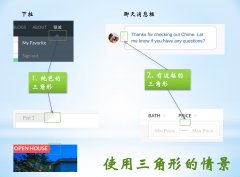 其中border-left决定了底部直
时间:2021-01-23
-
 当你自己回头来看你写的
时间:2021-01-23
-
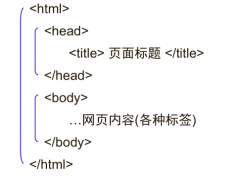 ④格式标签 粗体:b/b 斜
时间:2021-01-23
-
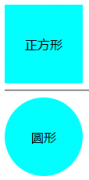 我们直接看代码: !DOCTY
时间:2021-01-23
-
 这里就是吐槽的IE6!) 图
时间:2021-01-23
-
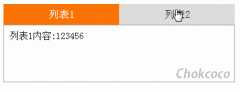 假设我们的HTML代码如下:
时间:2021-01-23
-
 那么使用 CSS3 新增的选择
时间:2021-01-23
-
 scaleGlassRectangle.y
时间:2021-01-23
热门文章
-
 可以加我的HTML5前端交流群111645711 CSS源码
时间:2021-01-15
-
 就可以对子元素进行 3D 变形操作了
时间:2021-01-12
-
 用css让一个容器水平垂直
时间:2021-01-12
-
 而没有设置高度
时间:2021-01-19
-
 canvas与html5实现视频截图成果
时间:2021-01-19
-
 所以通常不需要发送
时间:2021-01-19
-
 我们尝试一下更新一下HTML结构
时间:2021-01-23
-
scaleGlassRectangle.y
时间:2021-01-23
-
 HTML5生拖放实例分析
时间:2021-01-12
-
 在全局:root{ }伪类中定义了一个 CSS 变量
时间:2021-01-21